Does WhatsApp Work in China? Blocked, and How to Fix It
WhatsApp is blocked on Chinese SIMs and Wi-Fi, but a roaming SIM or travel eSIM may work without a VPN. See 4 options and test first.
Updated 10 min readCSK Team
On this page7 sections
Quick answer: No. WhatsApp is blocked on standard mainland China networks, including local SIM cards and hotel Wi-Fi, for texts, voice calls and video. A home carrier roaming plan or travel eSIM routes data through a foreign network, so WhatsApp may work without a VPN, though this varies by provider. Always test your mobile data first and install a backup VPN before arrival.
WhatsApp works normally in Hong Kong and Macau; the block applies only to mainland China. Entering the mainland does not affect your account or delete your chat history. Once your phone connects to an unblocked route, you pick up right where you left off.
How the mainland block works
The restriction sits at the network level rather than on your phone. China's internet filtering system, the Great Firewall, stops traffic between mainland networks and WhatsApp's servers. Reporting from 2017 tracks how the block closed in: The New York Times and Bloomberg reported a partial disruption in July 2017 that broke photo, video and voice messages first. By September 2017, the Times reported that China had largely blocked the app across the mainland.
Because filtering happens on the network path, reinstalling WhatsApp, switching phones or registering with a foreign phone number changes nothing. Only the way your data exits to the wider internet matters.
Facebook, Instagram, Telegram, Signal and Google services fail on mainland lines for the same reason. You can check whether any domain is reachable from inside the mainland with our free China firewall checker.
Which connections reach WhatsApp?
| Connection in mainland China | Does WhatsApp work? |
|---|---|
| Local Chinese SIM (China Unicom, China Mobile, China Telecom) | No |
| Hotel, cafe, airport or train station Wi-Fi | No |
| Home carrier international roaming | Often yes, but check with your carrier first |
| Travel eSIM that roams on a foreign network | May work, varies by provider, test before you rely on it |
| Hong Kong or Macau SIM roaming in the mainland | Often yes, not guaranteed |
| Any connection plus a working VPN | Yes, when the VPN connects |
Foreign roaming connections can bypass the block because of how international mobile routing works. Your phone connects to a local Chinese cell tower for its radio signal, but the carrier tunnels your data back to a home network outside the mainland before releasing it to the internet. Because the Great Firewall filters traffic that exits inside mainland China, traffic that exits in Hong Kong, Singapore or your home country is not filtered in the same way.
This works without a VPN app, though it is never automatic. Everything depends on your provider's routing agreements, and a carrier's destination list may not say whether blocked apps will load.

Four ways to get WhatsApp working
The core trade-off is between convenience, daily cost and Wi-Fi access. Roaming data from an eSIM or home carrier handles your phone without extra software, yet leaves you cut off the moment you switch to hotel Wi-Fi or open a laptop unless you turn on a personal hotspot. A VPN covers Wi-Fi and laptops, but takes pre-trip setup and can drop when servers are blocked. Most travelers do best by pairing a roaming data plan with a pre-installed VPN as backup. Check your chosen provider's plan terms, mainland data limits and routing details before you buy, as pricing and network behavior change.
1. Travel eSIM with overseas routing
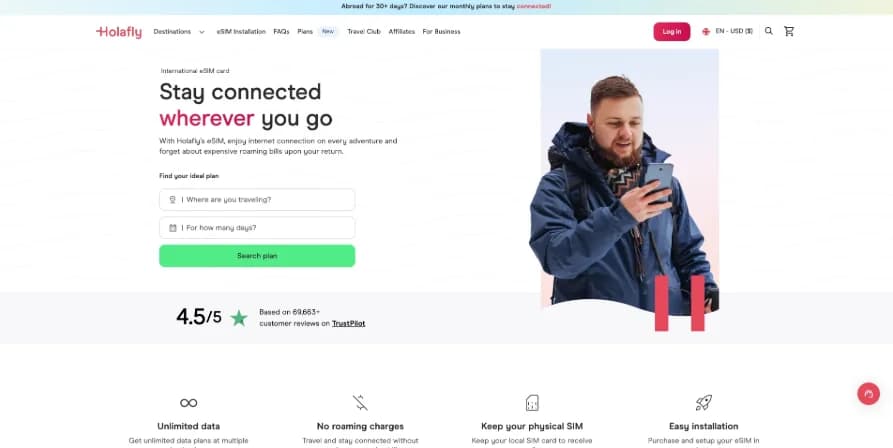
For most short-term visitors with an unlocked, eSIM-compatible phone, a travel data eSIM is the most practical starting point. You purchase a China or regional Asia plan before departure, install the profile at home, and switch on data roaming when you land. Starting prices for small China data packs from sellers were around US$1.30 to US$3 (about ¥9 to ¥20) at the time of writing, rising for larger allowances.
Some providers state that their mainland plans route traffic through hubs such as Hong Kong or Singapore so blocked apps may open without a VPN. However, routing policies vary across providers and even between specific apps. Saily's own FAQ, for example, states that Google and Instagram work with its virtual location feature, whereas WhatsApp still requires a VPN in China. Treat any routing claim as something to verify on arrival rather than a certainty.
To set up a travel eSIM properly:
- Confirm that your phone is carrier-unlocked and supports eSIM profiles.
- Choose a plan that explicitly states it routes data outside mainland China, and skip listings that mention only a "local network."
- Install the eSIM while you still have reliable home Wi-Fi before flying.
- Once you land, enable the eSIM line, turn on data roaming, switch your phone's Wi-Fi off, and send a test WhatsApp message over mobile data.
Our eSIM setup guide and SIM vs eSIM comparison explain installation steps and help match data sizes to different trip lengths.
2. Home carrier international roaming
If you are on a short trip, having an employer pay the bill, or keeping your home number active for banking codes, your regular mobile carrier is the zero-setup choice. Many foreign operators tunnel roaming traffic back through their domestic servers, which allows WhatsApp to connect normally. Others hand traffic straight to a local Chinese partner network, where the firewall blocks it.
The catch is price and fine print. Many carriers sell daily roaming passes, such as Verizon, which lists mainland China, Hong Kong and Macau at US$12 per day on its Verizon TravelPass countries page (checked November 2026), though rates and structures differ by operator. On a two-week itinerary, daily passes quickly cost far more than a travel eSIM. A carrier destination list also only confirms that your phone gets service in China; it does not state whether blocked apps will open on that roaming data. In addition, Verizon notes in its TravelPass FAQs that some newer SIM cards and eSIMs may experience limited service in select destinations while local operators update their networks.
When you land, turn off Wi-Fi and test WhatsApp on cellular data right away. If you leave hotel or airport Wi-Fi turned on, your phone will prioritize the local Wi-Fi network and WhatsApp will fail even when your cellular roaming works.
3. Hong Kong or Macau roaming SIM
If your itinerary begins in Hong Kong or Macau before crossing into the mainland, a local travel SIM bought there that includes mainland roaming is a solid middle ground. Because the card's home network is in Hong Kong or Macau, its mainland roaming traffic usually exits back through those regions, so blocked apps often work.
Read the plan breakdown before paying. Some multi-region "China and Hong Kong" cards advertise a generous headline data figure, but provide full-speed data only in Hong Kong while capping or throttling the mainland allowance. Test WhatsApp on mobile data as soon as you cross the border.
4. A VPN on local Wi-Fi or a Chinese SIM
A VPN is essential if you rely on hotel, cafe or office Wi-Fi, use a mainland Chinese SIM card, or want an insurance policy in case your eSIM fails to reach WhatsApp. You must download the apps and create your account before entering China, because VPN provider websites and foreign app stores are difficult to reach from mainland connections.
Even with a paid service, connection speeds and reliability fluctuate by city, network provider and week as servers are periodically blocked. Having one working data route and one pre-installed VPN prevents a single routing change from cutting you off. See our VPN guide and the Saily vs Wannaflix comparison for setup details.
A note on the law: China's regulations on cross-border VPN services are strict for providers and companies. Visitors using a VPN for personal browsing are rarely a concern in practice, though travelers who are unsure should check current rules with a Chinese embassy or consulate before departure.

Alternatives when WhatsApp cannot connect
Relying on a single blocked app leaves you without a fallback if a VPN drops or a roaming package runs out of data. Setting up at least one unblocked channel before departure ensures family and local contacts can reach you on any network.
| App | Works on a Chinese SIM? | Best for |
|---|---|---|
| Yes | Everything with locals: chat, payments, mini-apps, hotel and tour contacts. Set up with our WeChat guide | |
| iMessage and FaceTime | Usually, between Apple devices | Family on iPhones. See iMessage in China |
| Microsoft Outlook or iCloud email | Generally yes | Work and travel documents |
| Chinese email (QQ, 163) | Yes | Local services |
| SMS | Yes | Codes and short notes, with international rates |
Do not switch to Telegram, Signal or Facebook Messenger as your China backup; all three are blocked on mainland networks in the same way as WhatsApp.
For contacts inside China, expect locals to use WeChat regardless of whether your WhatsApp works, including hotels, drivers and tour operators. For family back home who do not want to register a WeChat account, stick to iMessage, FaceTime or Outlook and iCloud email as listed above.
Keeping up with WhatsApp groups and missed messages
What happens to messages sent while your phone is cut off on hotel Wi-Fi? According to the WhatsApp Help Center: law enforcement information page (checked November 2026), WhatsApp deletes undelivered messages from its servers only after 30 days, and removes delivered messages from its servers once they reach your device. Unless your trip lasts longer than a month without a single working connection, your text backlog will download as soon as you reconnect. Voice and video calls do not queue the same way, so arrange call times in advance for moments when you know you will have roaming data or a working VPN.
If you need to stay reachable for active family or project groups without burning roaming data all day:
- Update your WhatsApp status before flying so group members know replies may be delayed.
- Nominate one person outside China as your relay contact, and stay in touch with them over iMessage or WeChat so they can pass urgent notes to the group.
- Ask colleagues or family to send time-sensitive documents by email in parallel.
- If you depend on hotel Wi-Fi and a VPN, check messages at fixed times morning and night rather than counting on live background notifications.
Using WhatsApp on a business trip
Chinese suppliers and clients usually expect to use WeChat. Set up your WeChat account before you leave home, exchange WeChat IDs ahead of the flight, and keep your WhatsApp number in your email signature for overseas colleagues. Always test your roaming data and VPN on your first day in the country rather than ten minutes before a scheduled client call. Our business trip guide covers additional setup for work travel.
FAQ
Does WhatsApp work in China?
No, not on a local Chinese SIM or standard mainland Wi-Fi. It works when connected through a working VPN, and it may work on home-carrier roaming or a travel eSIM that routes data outside the mainland, depending on the provider.
Is WhatsApp banned or blocked in China?
WhatsApp has been blocked on mainland China networks since 2017 across text, voice and video. The block does not apply in Hong Kong or Macau.
Can I use WhatsApp in China without a VPN?
Sometimes. It may work on international roaming from your home carrier or a travel eSIM that tunnels traffic through an overseas network, though some providers state that WhatsApp still needs a VPN. Always test with Wi-Fi turned off before relying on it.
Will I lose my WhatsApp account if I go to China?
No. Your account and chat history remain untouched on your phone, and undelivered messages wait on WhatsApp's servers for up to 30 days until you reconnect.
Does WhatsApp work on hotel Wi-Fi in China?
No. Hotel, cafe, airport and station Wi-Fi use mainland connections that filter WhatsApp, so you must either switch to roaming mobile data or turn on a working VPN.
How do I use WhatsApp in China most simply?
Install a travel eSIM with overseas data routing before departure, test WhatsApp on mobile data with Wi-Fi off when you land, and use WeChat for local contacts. Install a VPN before flying as a backup in case your eSIM does not reach WhatsApp or you need to use hotel Wi-Fi.
Need to stay connected in China? The China Survival Kit includes communication guides, VPN setup help, and offline tools for when internet fails.
Essential Apps for This Guide
All 19 apps →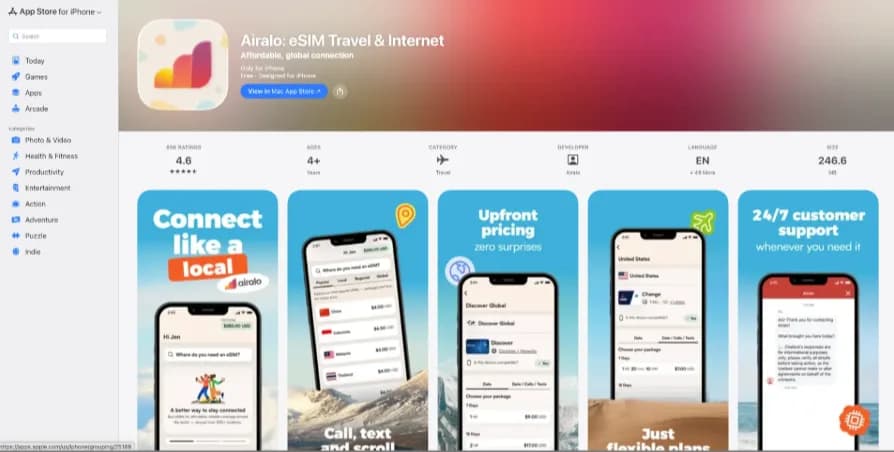

More guides like this
- Apps & InternetChina Firewall Test 2026: Check Blocked Websites & Apps
- Apps & InternetDoes Gmail Work in China? No, Blocked Since 2014 (Fixes)
- Apps & InternetDoes YouTube Work in China? No, Blocked Since 2009
- Apps & InternetDoes Instagram Work in China? No, Plus Other Blocked Apps
- Apps & Internet5 Best Tools to Test If Your Website Works in China (2026)
- Apps & InternetChina for Digital Nomads: Can You Work Remotely? (2026)
Rules and apps in China change often. Guides are checked against official sources — see our editorial & verification standards. Spotted something out of date? Tell us at [email protected]. Published December 8, 2025.